SmartGit for Teams

Collaborate without the friction

Common Team Problems SmartGit Solves

Many teams struggle with:

Unclear branch structures

Chaotic or confusing branch organization

Frequent merge conflicts

Conflicts that slow down development

Repository uncertainty

Not knowing the current state

Command-line errors

Mistakes from complex CLI operations

SmartGit Compared to Other Git Tools for Teams

CapabilitySmartGitGit Command LineOther Git GUI Clients
Branch & commit visibility
Full interactive graph

Text-only

Visual views available
Merge & conflict handling
Visual & guided

Manual & risky

Visual tools available
Team-wide overview
Complete

Hard to reconstruct

Depends on tool
Safety & reversibility
Preview & undo

Error-prone

Limited
Fit for team workflows
Built for teams

Expert-only

Team-friendly, depends on tool

How SmartGit helps teams succeed

SmartGit provides visual clarity and powerful collaboration tools that keep your team synchronized and productive.

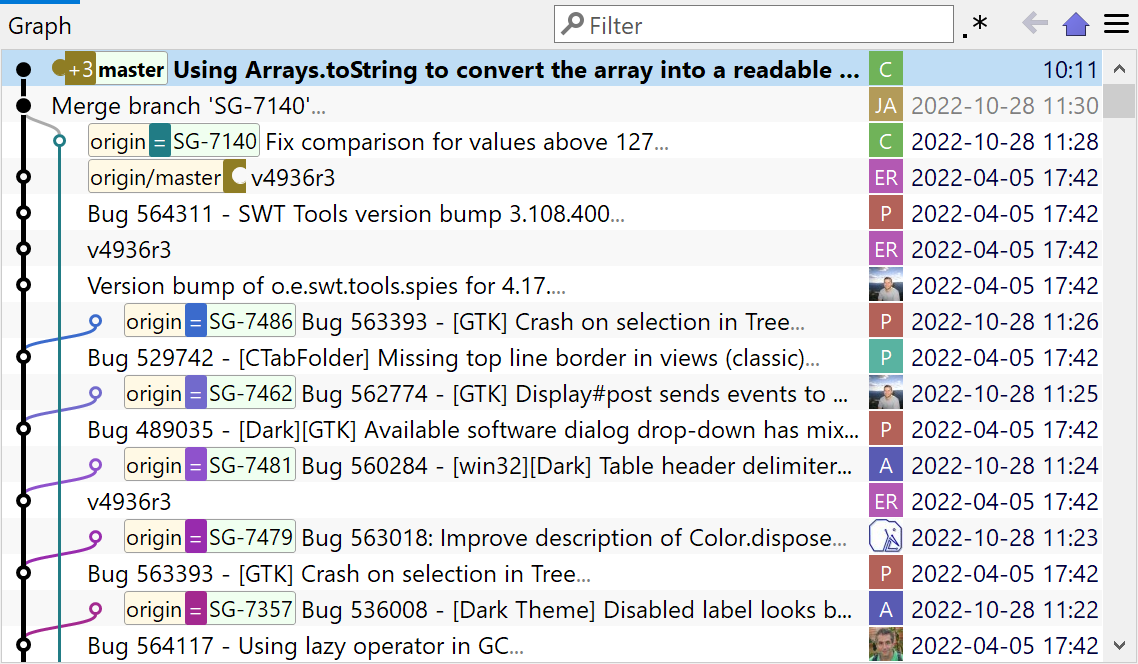
SmartGit's visual commit history graph

Visualize team workflows

See the entire team's work at a glance. The graphical history view shows all branches, commits, and merges in a clear visual timeline.

Understand who's working on what, identify integration points, and spot potential conflicts before they become problems.

Learn more about Visual History
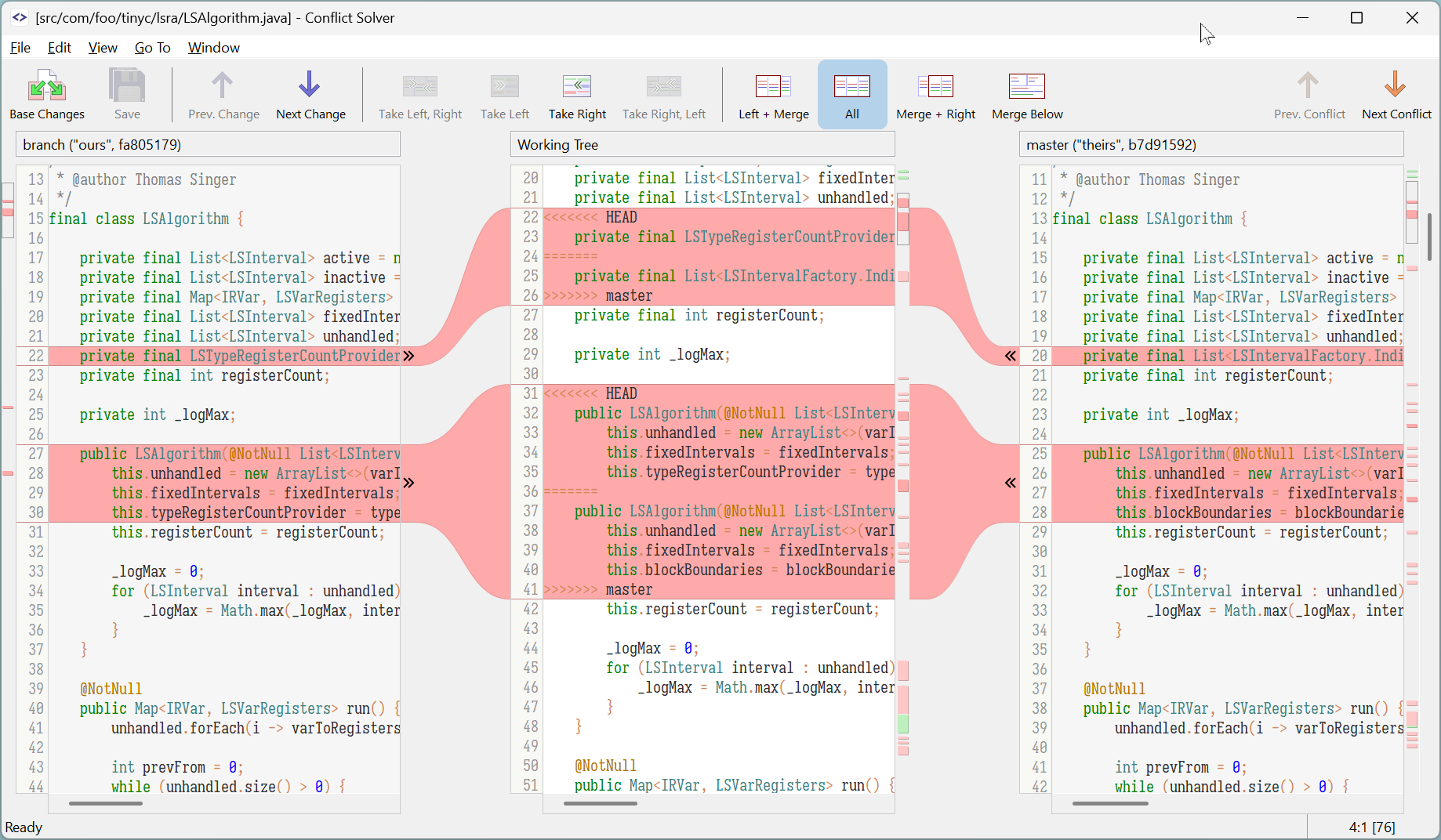
SmartGit's conflict resolution tool

Resolve conflicts efficiently

When team members edit the same code, SmartGit's three-pane merge tool makes resolution fast and safe. See both versions side-by-side and choose exactly what to keep.

No more cryptic conflict markers or lost changes. The visual diff shows exactly what changed and helps teams resolve conflicts in minutes, not hours.
Learn more about Conflict Resolution
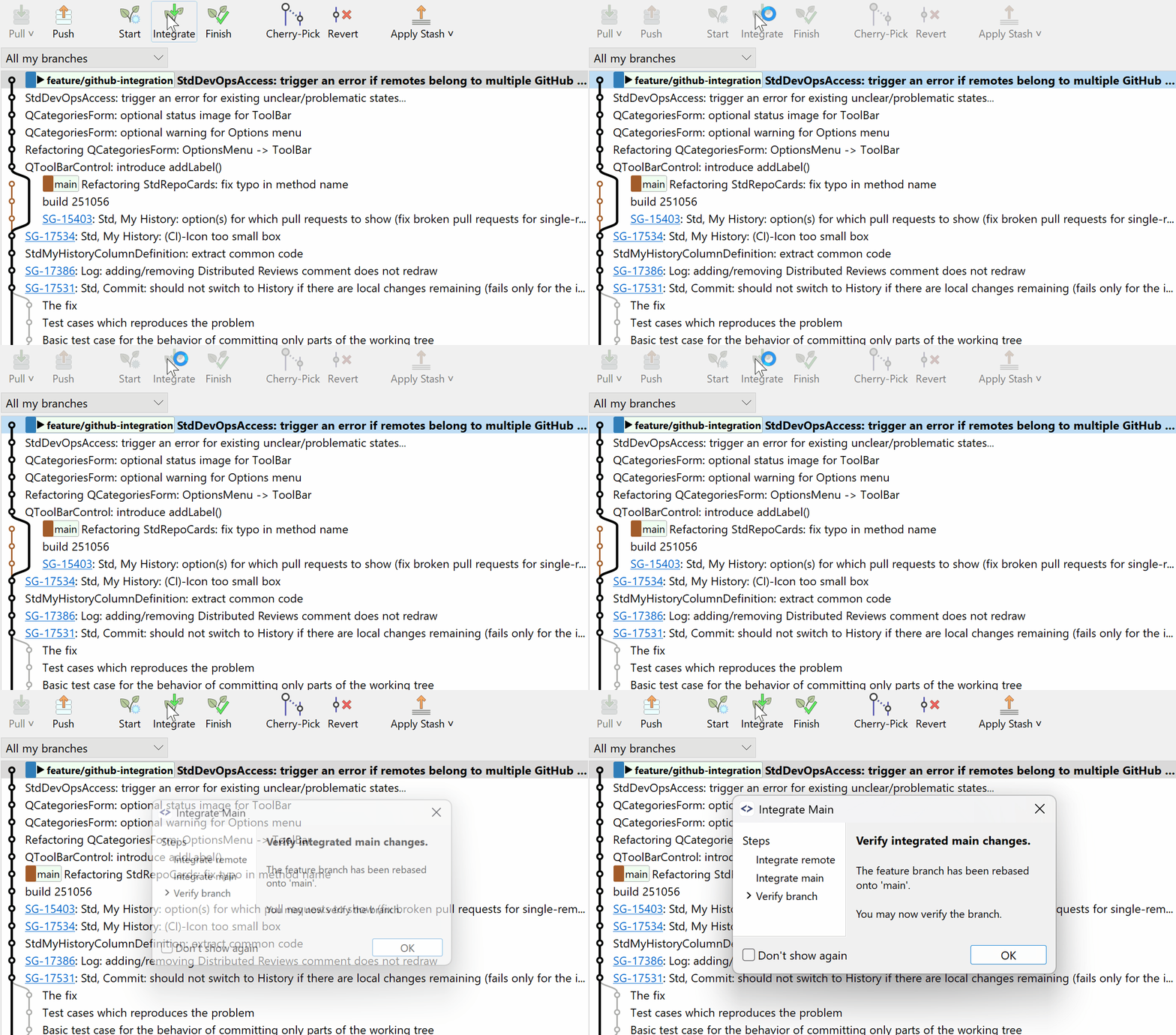
SmartGit's unified branch management

Unified branch management

Create, switch, merge, and delete branches with visual feedback. See which branches are ahead or behind and coordinate merges across the team.

SmartGit's visual branch management helps teams stay organized and prevents common mistakes during parallel development.

Learn about Smart Branching

Ready to improve team collaboration?

Try SmartGit free for 30 days and see how visual workflows can eliminate friction in your team.

Free for non-commercial use

What teams love about SmartGit

Fewer mistakes

Visual workflows help team members understand what they're doing before committing changes

Faster onboarding

New team members get productive quickly with intuitive visual tools instead of memorizing commands

Better coordination

Everyone sees the same clear picture of the repository, making collaboration smoother

Frequently Asked Questions from Teams

SmartGitty
Yes. SmartGit is used by both small development teams and large software organizations working with complex repositories and workflows.
Yes. SmartGit works with GitHub, GitLab, Bitbucket, and all Git-based platforms.
SmartGit detects conflicts visually and allows teams to compare changes side by side and selectively apply them — before problems escalate.
For teams, yes. SmartGit reduces errors, increases transparency, and makes Git workflows understandable for all team members — not just Git experts.
Illustration of Smart Gitty, the SmartGit mascot -- a grey cartoon cat with glasses, sitting behind a laptop