SmartGit for Command-line Fans

The best of both worlds

Still Pure Git Under the Hood

SmartGit executes real Git commands.

No proprietary system

Standard Git — nothing vendor-specific under the hood

No workflow lock-in

Use SmartGit alongside any existing Git setup

Fully compatible

Works with your existing repositories out of the box

Cross-platform

Windows, macOS, and Linux — one consistent Git client

It's Git — with better visibility.

Terminal Alone vs. Terminal + SmartGit

SmartGit simply adds visibility where it counts.

CLI onlyCLI + SmartGit
Manual syntax recallFull repository visualization
Mental graph reconstructionPreview before execution
Limited preview before history rewritesFaster navigation
Context switching across commandsReduced risk in complex operations

The Git GUI for Developers Who Want More Visibility

No credit card. No account. Just visualize Git.

See the Directed Acyclic Graph with a Powerful Git Visualizer

SmartGit makes the structure visible.

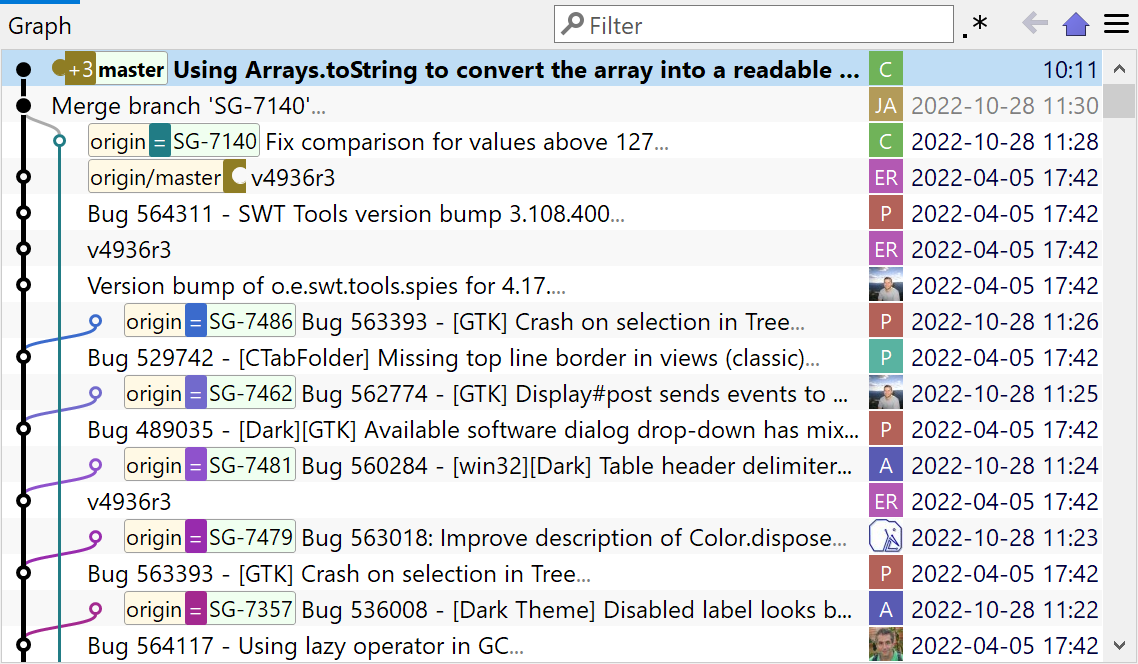
SmartGit visual branch graph

1. Visual Branch Graph

See complex branch structures instantly. Understand merges and rebases at a glance — and detect risky history rewrites before pushing.

  • Understand merges and rebases at a glance
  • Detect risky history rewrites before pushing
  • Navigate large repositories with clarity
Learn more about Visual History
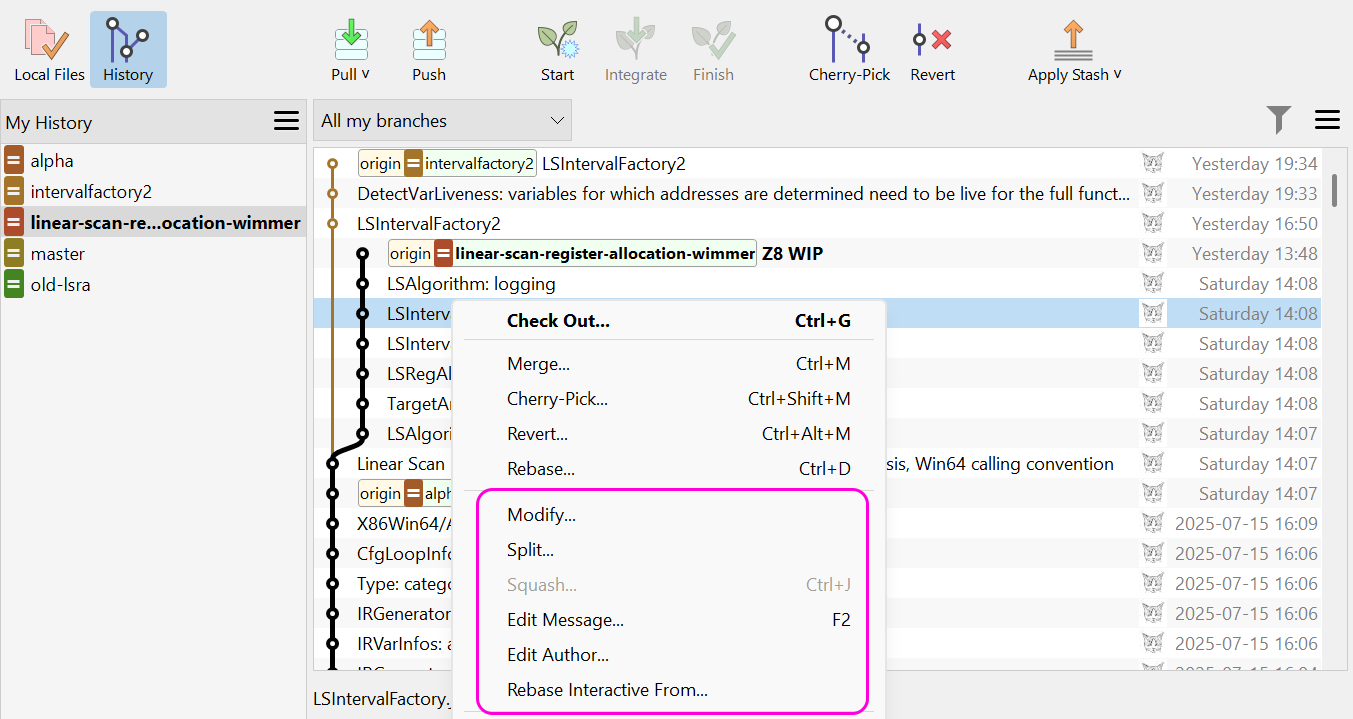
SmartGit interactive rebase GUI

2. Safe Interactive Rebase GUI

Reorder commits visually. Squash, edit, and drop commits with a clear preview before execution.

  • Squash, edit, and drop commits
  • Preview changes before execution
  • Reduce mistakes when cleaning up history
Learn more about Clean Commits
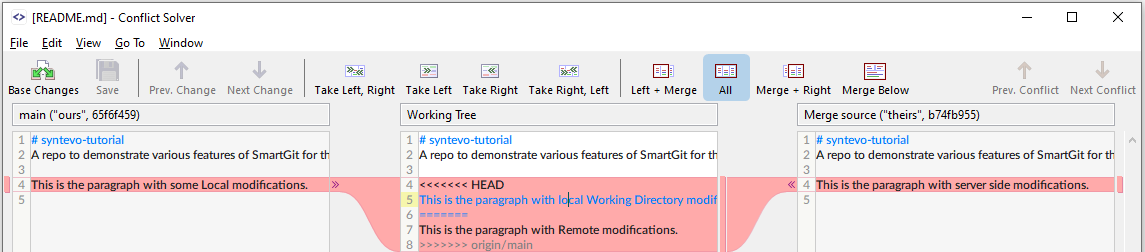
SmartGit merge conflict tool

3. Better Git Merge Conflict Tool

Clear side-by-side diff views with a clean staging overview and direct editing capabilities.
  • Clear staging overview
  • Direct editing capabilities
  • Visual file comparison
Learn more about Conflict Resolution
SmartGit multi-repo and submodule control

4. Multi-Repo & Submodule Control

Manage large repositories and submodules without losing orientation. Ideal for professional, complex projects.

  • Manage large repositories and submodules
  • Ideal for professional, complex projects
Learn more about Window Styles
Illustration of Smart Gitty, the SmartGit mascot -- a grey cartoon cat with glasses, sitting behind a laptop